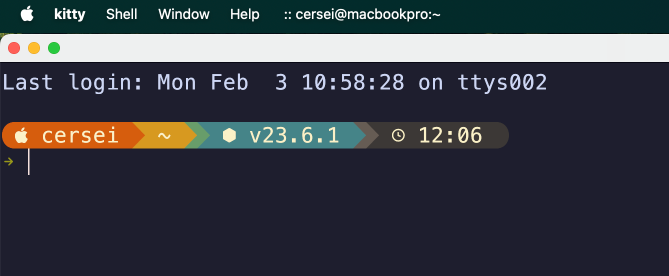
Where is the Kitty
I keep changing Terminal Apps
We all start with the built in Terminal app on the Mac because it is there. Then I heard iTerm was better for whatever reasons. To be honest I don’t take a lot of notice as to the why the new and shimy is better. I give the new one a try and if I like it, it stays. I also use Warp which is useful because it has AI built into it. It is so handy to ask what is the command I need to do what I want. Warp does a great job of this and helps so much. Warp annoys me in other aspects but I can never remember the commands. It makes sense to get help.
Ghostty is one I Used for Quite a While
Kitty was fine and was doing the job. Saw one of the dev guys I follow moved on to Ghostty and I like the look of it. So Kitty was put to one side. I have my keyboard shortcut in Raycast set up - Hyperkey+G for Ghostty and on the MacBook Pro I still have the Hyperkey set with T for terminal. Well the HyperKey I have set up in Superkey. I really should get around to cleaning things up and make sure the App launching is the same on both computers. I have not got used to the two Mac setup yet. I’ll get there in time…
Wezterm is the One
I can’t remember why I changed to Wezterm, probably saw a video with someone doing something cool with it. I was using Warp as my Terminal for a while because of the integrated AI. Then I started using AI CLI tools - Gemini, Claude and others. They were giving me the help to remember the commandline commands I was using Warp to remind me of.
I like how I can split Weztern into tabs and panes, so I don’t need to mess with Tmux or Zellij. Although it is nice to make a setup that you can go back to easily. Especially easy in Zellij. The thing with Zellij is that it wasn’t showing the images properly in the Yazi file manager. Anyway with a bit of tweaking Wezterm became my go to. I have keymaps to help me operate it like a master.
My Keyboard Shortcuts
- Crtl Shift R = Rotate Panes
- Ctrl Shift H = Switch to Left Pane
- Ctrl Shift L = Switch to Right Pane
- Ctrl Shift P = Pane Select
- Ctrl Shift Opt % = Split Vertically
- Ctrl Shift X = Exit Current Pane
- Ctrl Shift W = Workspaces
- Ctrl Shift E = Edit Tab Name
- Ctrl Shift S = Show Launcher
I hadn’t even known there was a Launcher, or Workspaces in Weztern before. This is giving me most of what I was looking for in the terminal multiplexers.
I still can use the terminal in Windsurf