Television - Fuzzy Finder
The Ultimate Terminal Showdown: Yazi + FZF vs. Television
I’m still working out how to use this tool. It looks quite interesting and it is kind of like a fuzzy finder or FZF, but it does things just a little bit differently and extends it into other areas as well. I can tell it to look for file names, or if I use ‘tv text’, it will look into files and find text within those files. I am wondering if it is any better than using fzf in yazi, I mean I don’t have to search across the whole of the computer too often to find a file. Often it is better to limit a search to a specific area or you have to let it run through thousands of files. That can take time and it could be faster to look manually into certain folders within Yazi.
Then there is the thing of what to do when you find your file. In Yazi I can hit ‘O’ and it opens up in Neovim. Then when I have finished editing I get straight back into Yazi. I do have it set in the files channel to open Neovim with Ctrl-O. But when I have done the editing it drops me back into the command line and I have to start Television by typing tv to get back to where I was.
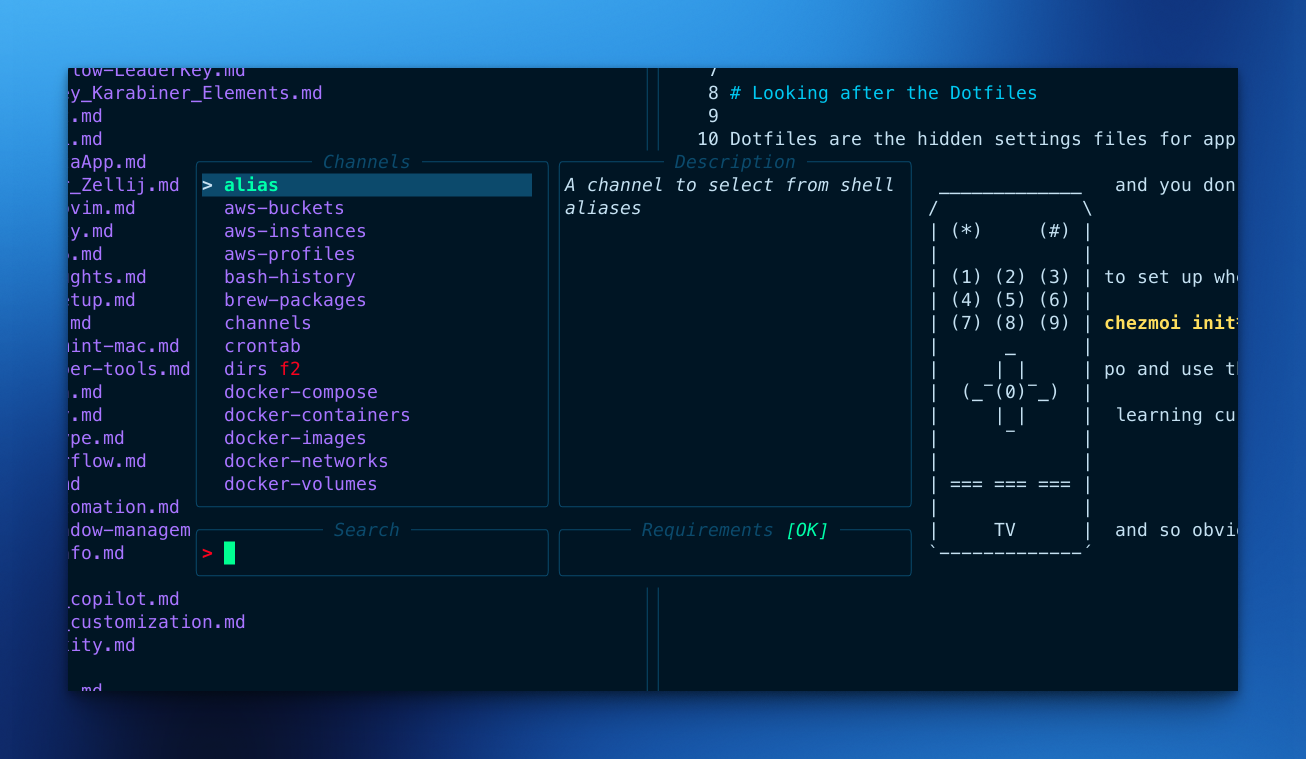
Television Channels
It is called channels when you change from one tool to another. By default when you start with plain ‘tv’ it will open upo looking for files. There’s lots of channels available and you can make your own. On opening Television for the first time you get a few channels. Then you can run a command to add a load more ‘tv update-channels’. Then you will have a huge list to choose from.
Let’s look into the differences between the two tools…
I. Introduction
Navigating the terminal efficiently is a never-ending quest for developers. For years, we’ve relied on synchronous, sluggish terminal tools that freeze when opening massive directories. Fortunately, modern Rust-based alternatives have emerged to solve these exact bottlenecks.
In one corner, we have Yazi: a blazing-fast, asynchronous terminal file manager written in Rust. In the other corner, we have Television: a fast, portable, and hackable fuzzy finder designed to search through any kind of data in real-time.
This post compares a file-manager-first approach (Yazi enhanced with FZF) against a universal fuzzy-finder-first approach (Television) to see which tool streamlines terminal workflows better.
II. Deep Dive: Yazi + FZF (The Orchestrator)
Core Philosophy: Yazi is a file manager that uses a three-pane layout inspired by Ranger, but it separates itself with a fully non-blocking, async architecture. All I/O operations happen on background threads, ensuring the UI never freezes. Furthermore, Yazi provides native, high-performance image previews across a massive range of terminal protocols (including Kitty, Sixel, iTerm2, and Ghostty).
FZF Integration:
- Out of the box, Yazi seamlessly integrates with FZF and zoxide; simply pressing the
zorZkeys allows you to fuzzy find files and jump to directories instantly. - To take things further, the community plugin
search.yaziturns Yazi into a powerful orchestrator for fzf, ripgrep, and fd. With this plugin, you can easily fuzzy-find filenames or search file contents, and then open the exact line match directly in editors like Neovim.
RipGrep
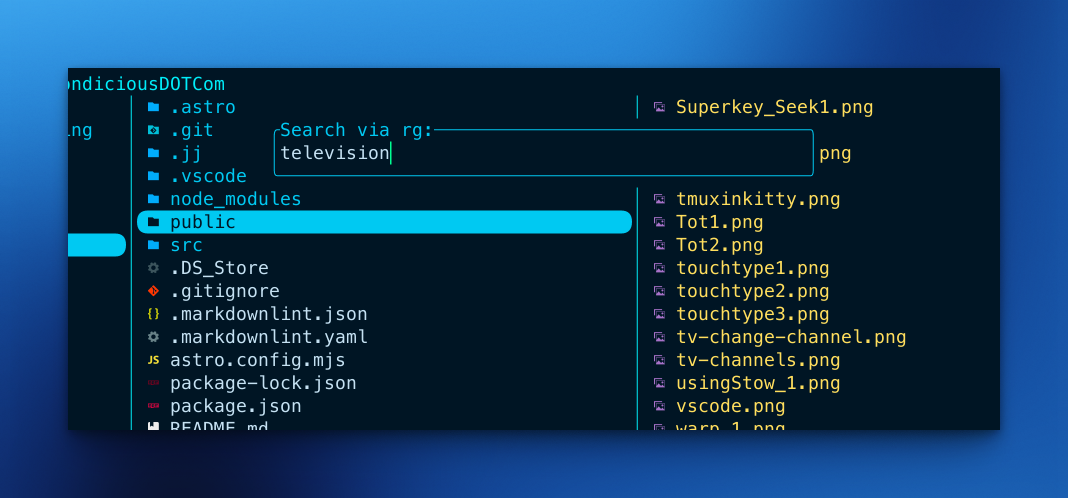
Searched for ‘Television’
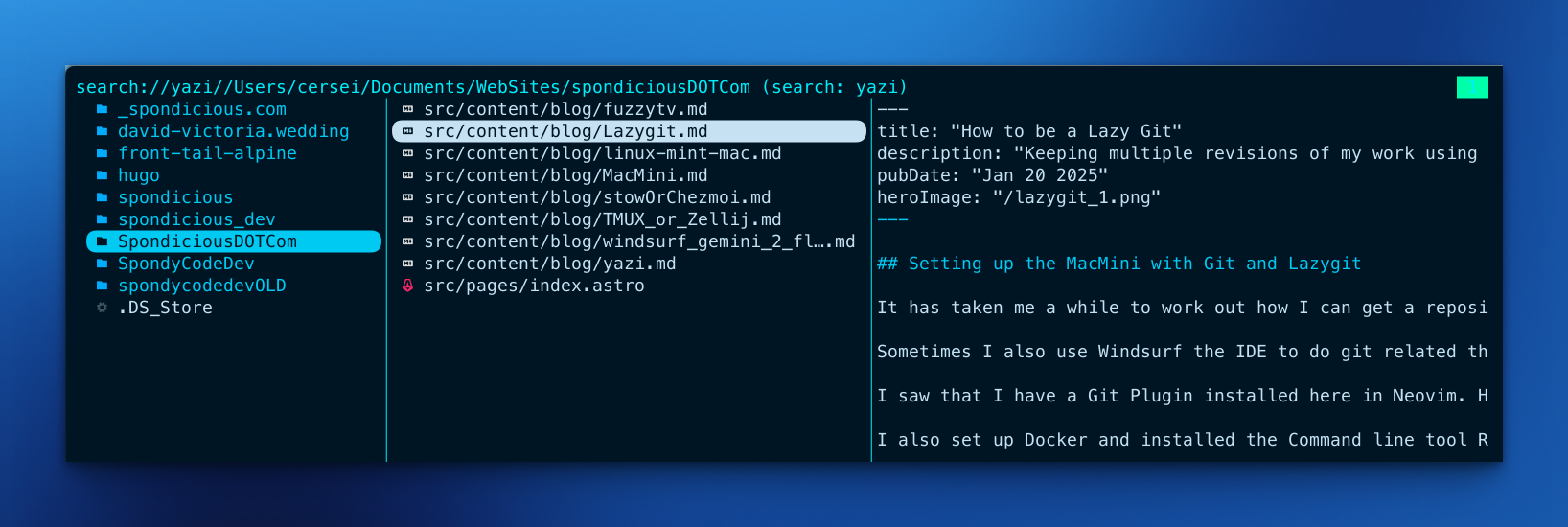
Extensibility: Yazi is highly extensible, utilizing Lua 5.4 for its plugin system. You can manage community plugins, custom previewers, and UI flavors directly through Yazi’s built-in package manager, ya pkg.
III. Deep Dive: Television (The Universal Remote)
Core Philosophy: Television is not a file manager; it is a dedicated fuzzy finder built to replace multiple single-purpose CLIs in your terminal toolkit.
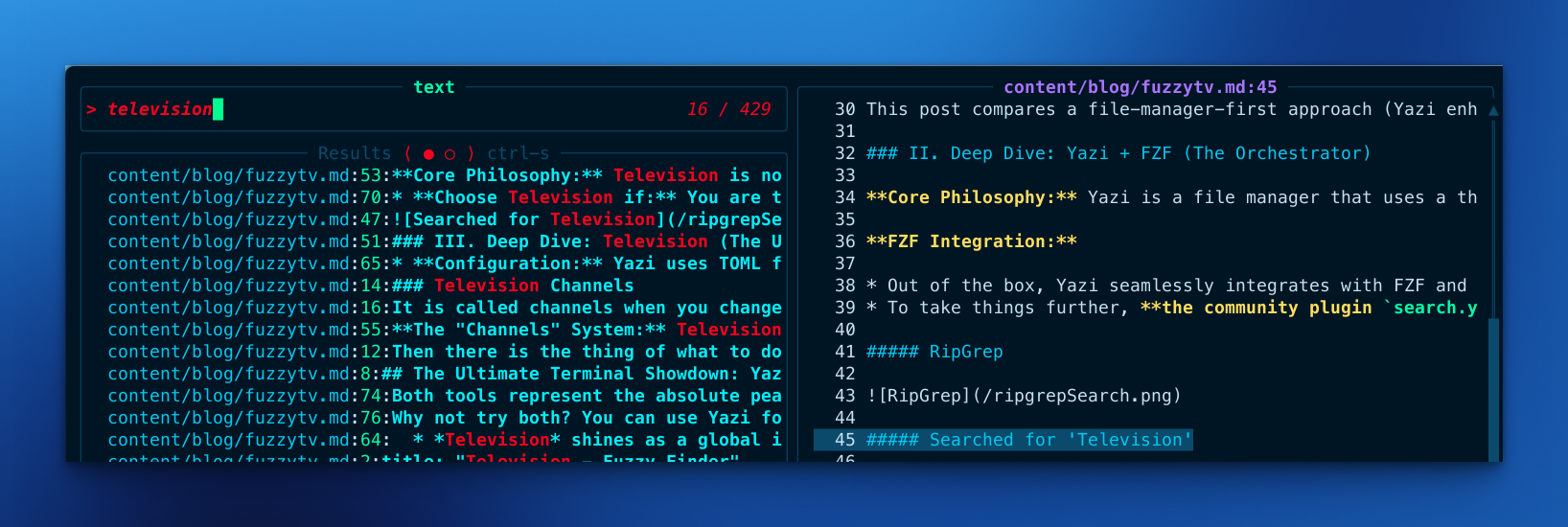
Searched for the word ‘Television’ and I like the way it shows all the lines where the word occurs in the files where if found the search term.
The “Channels” System: Television organizes searches into “channels.” It comes packed with built-in channels for files, text, Git repositories, Docker, Kubernetes, and environment variables. For example, the Git repositories channel even provides a Git log as the preview pane. You can quickly zap through different channels using a unified “remote” interface.
Extensibility: Instead of relying on Lua scripting, Television is extended by writing simple .toml templates to build entirely custom channels. Inside a TOML configuration, users can define a source command to fetch data, specify what populates the preview pane, map keybindings, and configure actions (like passing the selected result back to the shell or a different utility).
IV. Head-to-Head Comparison
- Speed & Performance: Both tools are written in Rust and are exceptionally fast, taking advantage of modern performance standards.
- Workflow Integration:
- Yazi + FZF gives you complete, robust file system control. It is unmatched when you need to navigate directory trees, preview documents or images natively, and manage file operations like copying or deleting via background tasks with real-time progress.
- Television shines as a global input-piper. It excels at taking piped arbitrary data—such as JSON, system logs, or remote Kubernetes logs—and presenting it in a beautifully formatted TUI for instant fuzzy finding.
- Configuration: Yazi uses TOML files for general settings and keybindings but relies on Lua for deep functional customization. Television relies primarily on its TOML-based templating system for both configuration and generating new search channels.
V. Ideal Use Cases (Who wins when?)
- Choose Yazi + FZF if: You want a visual map of your file system, prefer Vim-style navigation (
hjkl), require native image/video previews, and need to manage tasks like bulk renaming or copying large directories. - Choose Television if: You are tired of manually piping terminal outputs into
grepand want a universal fuzzy picker that can instantly replace specialized terminal utilities likekubectx(for Kubernetes) ortmux-sessionx(for tmux sessions).
VI. Conclusion
Both tools represent the absolute peak of modern Rust CLI design. Yazi acts as your visual base of operations and file orchestrator, while Television serves as your universal, easily hackable search remote.
Why not try both? You can use Yazi for daily directory navigation and map Television to shell shortcuts for executing application-specific commands. Which approach fits your workflow better?