
2026 A New Year with AI
Still a little bit confused with all the options available
 Well, to start with, I’m not missing the subscription I had to Flutter Flow for making applications. I’m pretty sure that I’m going to be better off making applications using AI rather than Flutter Flow. The only thing with FlutterFlow that I probably will miss is the ease with which I could send the applications I create into the Apple App Store. I didn’t really get into any form of success with getting applications onto the Google Play Store, but I imagine that I could probably use AI to work that out for me.
Today I tried doing some work in Google Anti-Gravity, and I was following a tutorial on YouTube. The good things about the tutorial is that it was showing that you should start off with a markdown page called AGENTS.md. The text within this Agents MD, will set up the project for you and get everything working in a good way. The idea was shown in the YouTube video, but it was borrowed from somebody else by the name of Nick Sarseav. After you’ve created this AGENTS.md file within your project, all you have to do is tell it to initiate, and it does all that’s needed to be done. At the same time, it sets up the similar files for Claude and Gemini.
I’m not really sure what was going on with the large language models today, but I was using Gemini and it seemed to be very slow compared to what I was doing when I was working with Warp. I still might try and do the same project again, but this time using Gemini CLI and see how that works. I want to know if the agents file will work within that one as well. I’ve also seen reports that anti-gravity is still not fully functioning in the fork it made from VSCode. I’ve also seen a few comments on YouTube tutorials where people are saying that maybe it’s better off using Cursor. So there’s another piece of software for me to give a try. I’ve just opened up Cursor and it gave me an upgrade first of all to the application itself, and then it offered to install Cursor CLI for me.
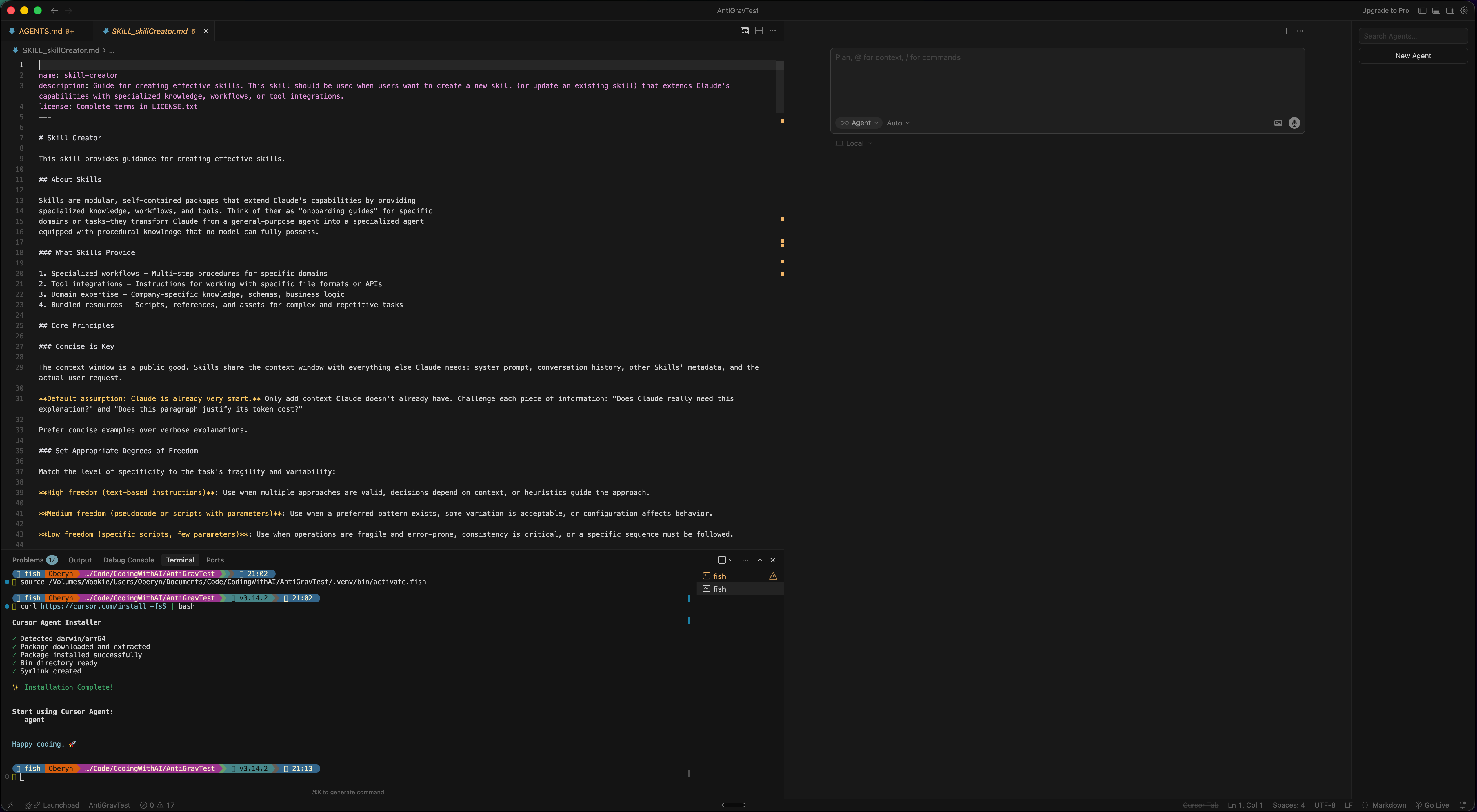
Skills in Claude Code and also in AntiGravity with Gemini
Skills are predefined instructions, rules, or automations that are automatically invoked based on context or triggers. As per the tutorial, it suggested that I download the skill for creating skills first. One of the things with using skills is that I think it makes it more economical when using the AI. These are files in the YAML format or in Markdown templates. Basically, you just tell the AI to refer to it, and it helps it know exactly what it’s got to do to get the task done that you’ve given it. It’s not quite the same thing as using workflows in Warp, which I found useful to get things done in the terminal with terminal commands rather than using AI and again saving money when it comes to working with large language models.
Learning More about Coding
For web applications, I’ve just found some information suggesting that learning the MERN stack is a good way of going for those sorts of applications. I did previously learn something about MongoDB, so that’s not too bad. I don’t know too much about JavaScript, but I suppose I can get into it. The same guy was recommending using React Native to get into making applications for mobile. I had been thinking about looking at that anyway, so I’m going to give that a go. There’s a probability that these applications will be easier to make with AI because the large language models will have been trained upon these technologies.