Zen Notes Gateway to Vim
ZenNotes: The Perfect Start for Vim Beginners
If you’ve spent any time in developer circles, you’ve likely heard of Vim or NeoVim. Devotees praise its speed, how it keeps your hands on the home row, and the sheer elegance of editing text at the speed of thought. But if you are new to the concept of modal editing, trying to adopt it can feel like hitting a brick wall.
Between learning the muscle memory of normal mode and configuring your terminal, the learning curve is steep. This is especially true if you just want a clean environment to write markdown notes.
Enter ZenNotes, a keyboard-first, Markdown-first note-taking application. If you want to learn Vim but feel overwhelmed by the complexities of NeoVim, ZenNotes might just be your perfect gateway.
The NeoVim Configuration Trap
To understand why ZenNotes is a great option, we first have to talk about NeoVim NeoVim is an incredibly powerful, extensible terminal text editor. However, it is a blank slate.
Out of the box, NeoVim does not have file tree sidebars, Markdown live previews, interactive tag search, or modern aesthetics. To turn NeoVim into a functional note-taking environment, you must build it yourself. This means learning Lua, setting up package managers, configuring plugins like Telescope, Neo-tree, and obsidian.nvim, and debugging Tree-sitter parser issues.
For a Vim beginner, this creates a double learning curve. You aren’t just learning how to edit text; you are learning how to be a systems integrator for your text editor. It is easy to spend twenty hours configuring your editor and zero hours actually writing.
What is ZenNotes?
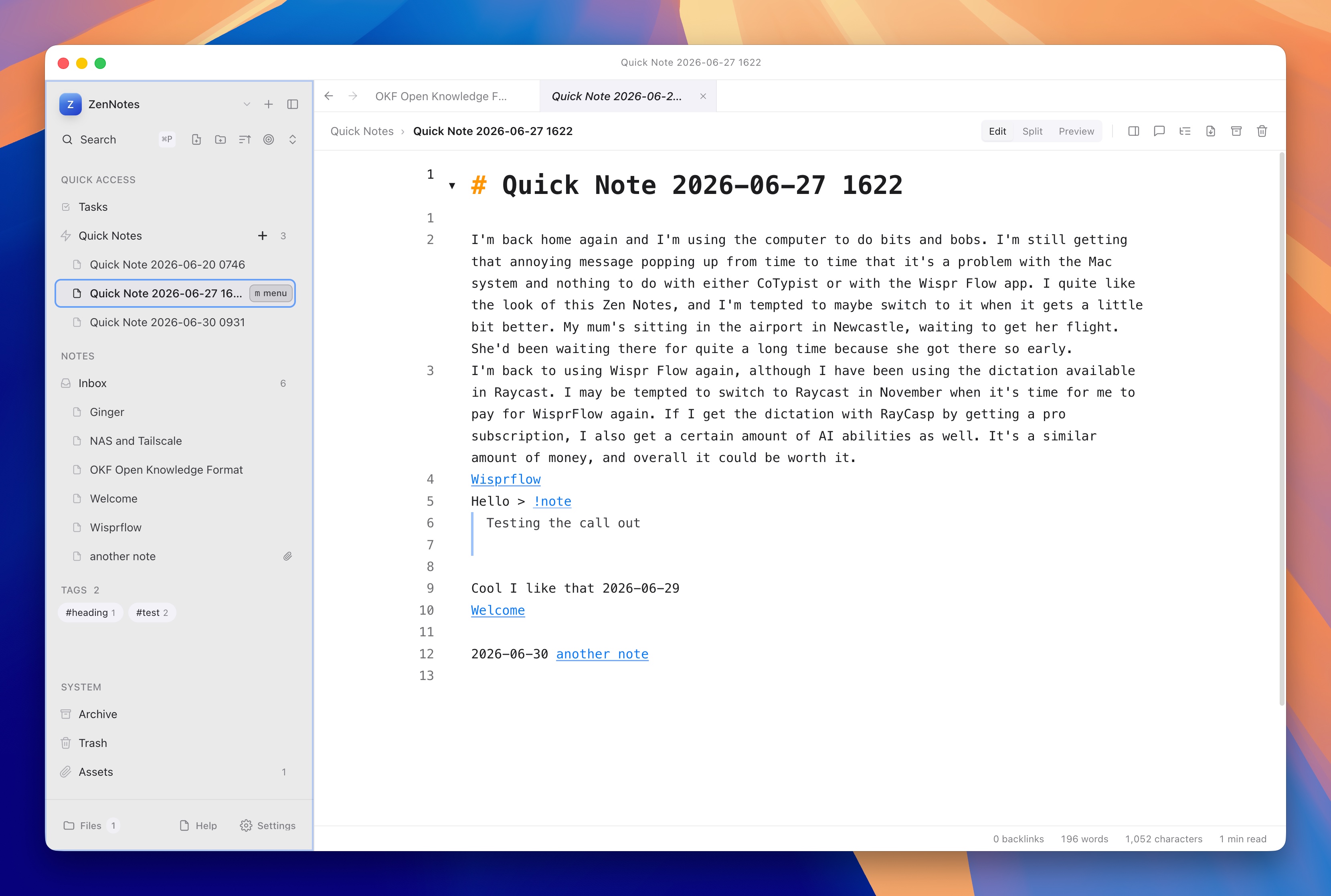
ZenNotes is a native desktop application (powered by Electron) and a self-hosted
web application backed by a Go backend. Your notes are stored as ordinary .md
files in a local directory (a “vault”) that you own.
It comes preloaded with features that would take hours to configure in NeoVim:
- Beautiful visual themes (like Gruvbox, Catppuccin, Tokyo Night, and OLED Black Metal) with built-in light and dark mode toggles.
- Split panes and tabs that let you view raw Markdown and live-rendered previews side by side.
- Notion-style databases built directly on top of plain
.csvfiles. - An integrated command palette and folders sidebar for quick navigation.
The Vim Safety Net
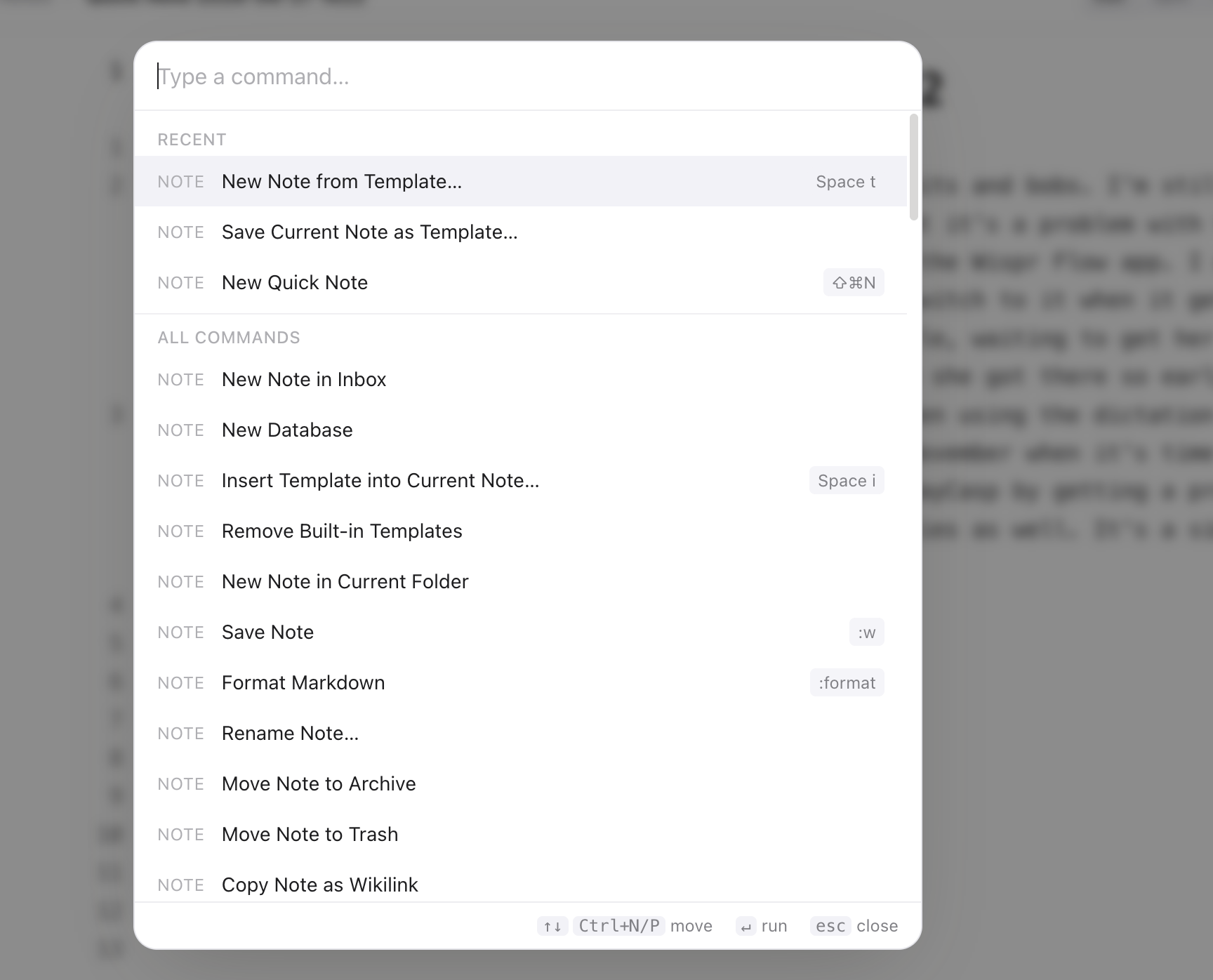
ZenNotes features a first-class Vim mode, providing a genuine modal editing
experience with standard motions (h/j/k/l, word jumps, visual blocks),
Ctrl+W window splits, and classic ex commands (like :w, :q, and :help).
However, unlike NeoVim, ZenNotes provides a visual safety net that keeps you productive while you learn:
- Which-Key Leader Hints: ZenNotes uses
Spaceas a default leader key. When you press it, awhich-keypanel pops up showing you all available key sequences (e.g.,Space pfor the outline panel). You don’t have to memorize dozens of custom shortcuts on day one.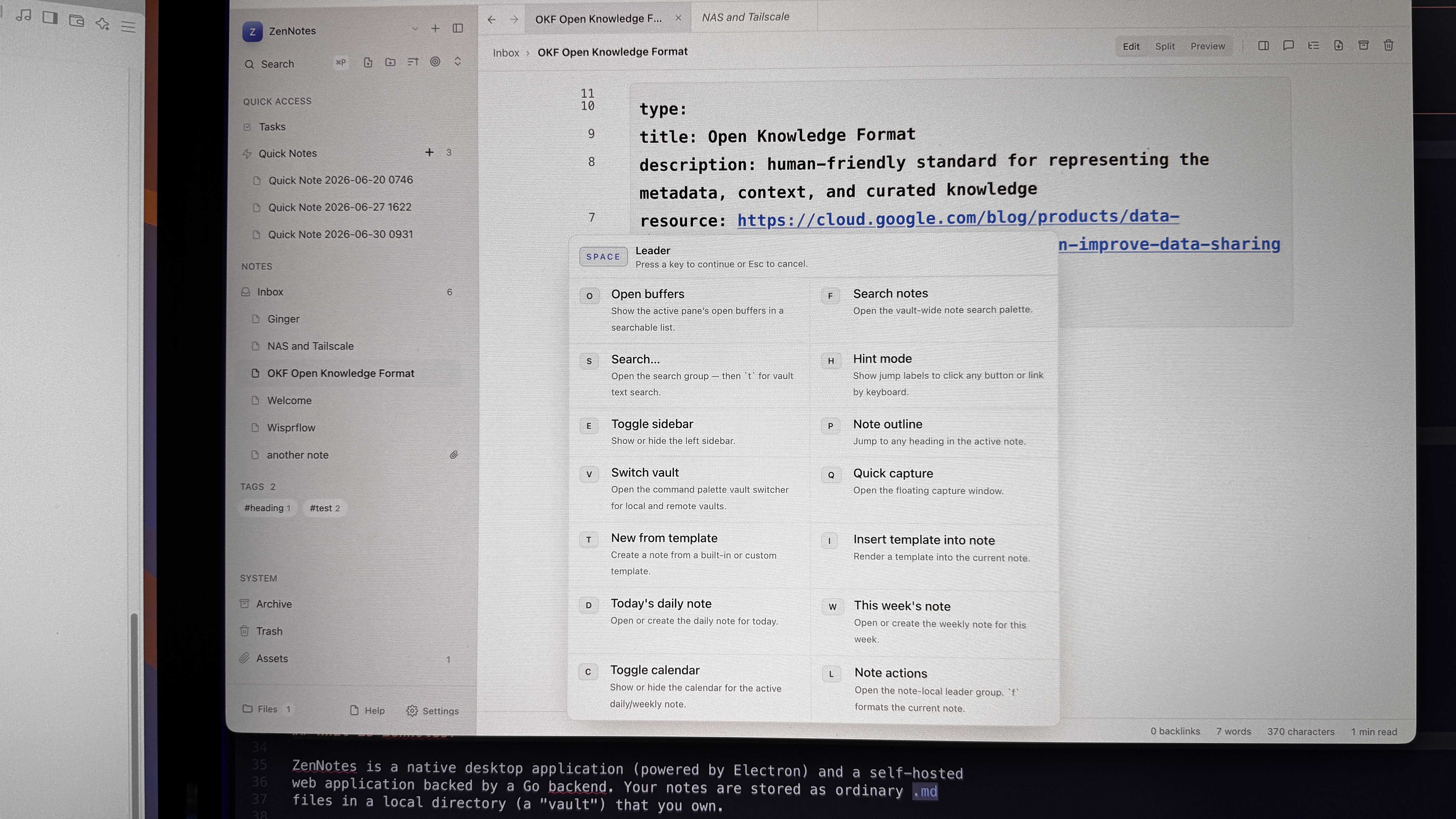
- Interactive Slash Menu: If you forget the Markdown syntax for a table or
callout, you can simply type
/in the editor to bring up a slash insert menu.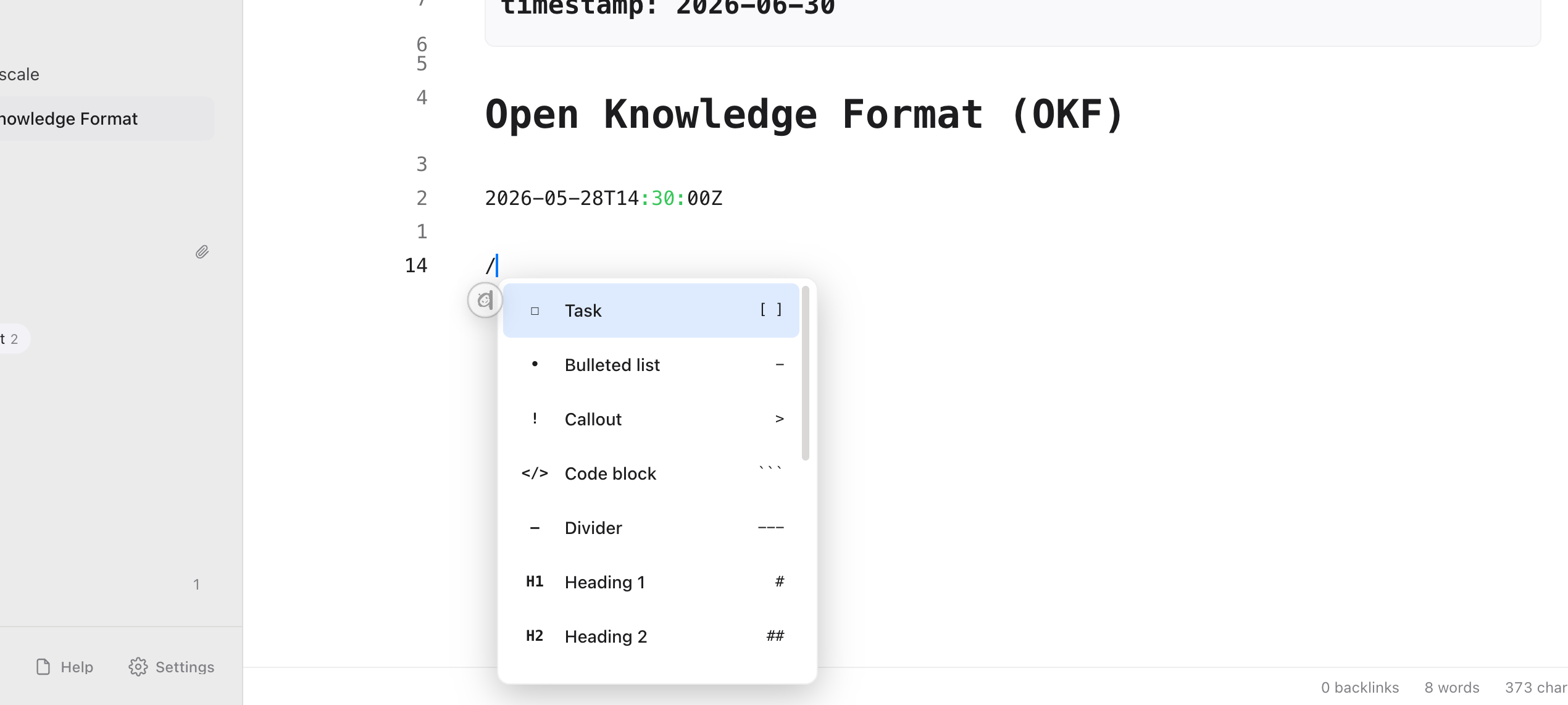
- Keyboard Hint Mode: Pressing
forFtriggers a link hint mode. ZenNotes overlays small letters over all clickable items (like wikilinks or buttons) in the pane. Typing those letters navigates directly to the target without touching the mouse.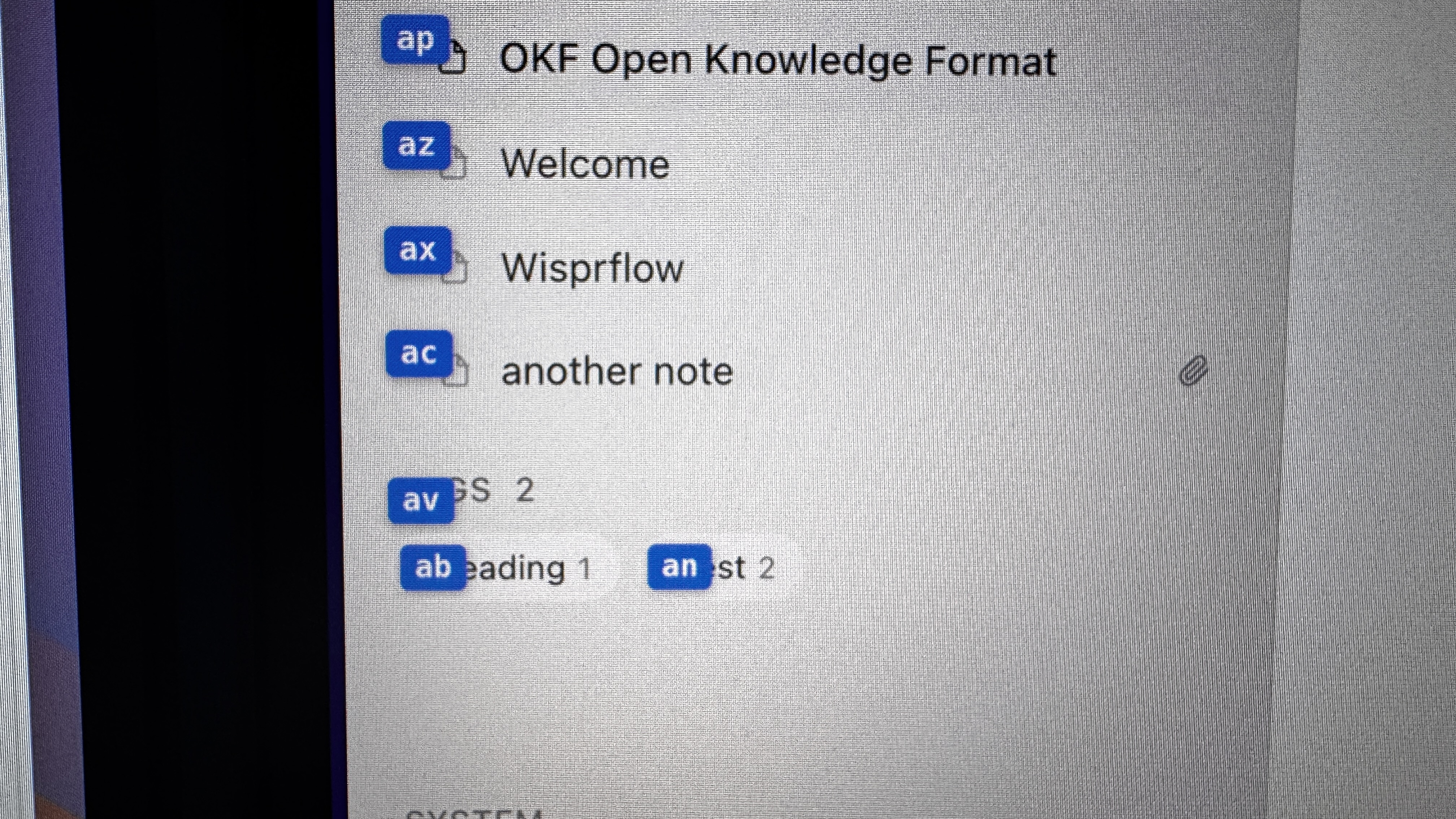
- Vim-Driven CSV Grid: You can navigate and edit CSV database grids using Vim motions, combining the structure of a spreadsheet with keyboard-first speed.
Conclusion
NeoVim is an excellent editor once you have mastered Vim keys and are comfortable writing configuration scripts. But if you are a beginner who wants to write notes, organize thoughts, and build a second brain while learning Vim, NeoVim can be an exercise in frustration.
ZenNotes removes the friction. By providing a beautiful, zero-config note-taking app with a robust Vim emulation layer, it lets you focus on building muscle memory for editing commands while enjoying the benefits of a modern note-taking system.
Personally, I’ve been using Neovim for a couple of years now, and I don’t find it that intimidating. I’ve been looking at Zen Notes as another option because it turned up on my radar. I like the look of it, and initially I found it a little bit confusing because I did have a few extra keyboard shortcuts to learn. It’s interesting and perhaps a halfway stage between using NeoVim and using something like Obsidian. Definitely worth a try.